
Table of Contents
The Midnight Desperation
It’s 11 PM. The tax deadline is looming. You have 12 months of bank statements sitting on your desktop as PDF files. Your accountant—or your accounting software like QuickBooks—is demanding a CSV (spreadsheet) format so you don’t have to manually type in thousands of transactions.
In a moment of desperation, you open Google and type: “free pdf to csv bank statement converter online.”
A dozen results pop up. They look easy. Just drag and drop your PDF, wait five seconds, and download the spreadsheet. Problem solved, right?
Wrong.
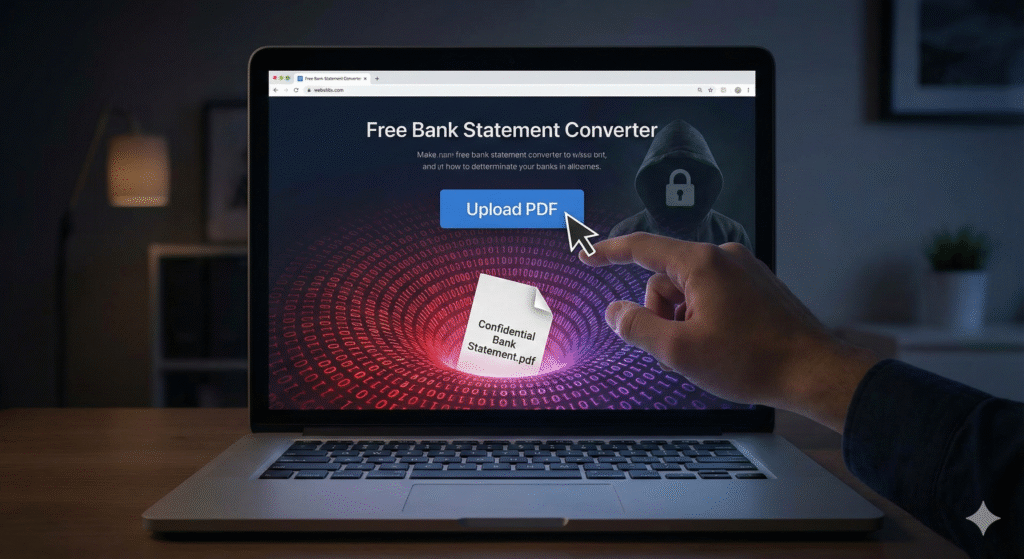
Before you upload that file, you need to understand the dangers of uploading bank statements to anonymous servers. That PDF isn’t just a document; it is the blueprint of your entire financial life. Handing it to an unknown website is one of the riskiest moves a business owner can make in the digital age.
Risk 1: The Identity Theft Goldmine
Think about what is actually printed on the header of your bank statement PDF. It is not just numbers; it is verified identity data.
- Your PII (Personally Identifiable Information): Full legal name, home address, and business entity name.
- Your Banking Core: Full account number and routing number.
- Your Financial Map: A complete history of every vendor you pay, every client who pays you, and your daily balances.
When you ignore the dangers of uploading bank statements and drop that file into a free converter, you are transmitting this data to a server you do not own.
The Nightmare Scenario: If that server is compromised—or if the site itself is a front for data harvesting—bad actors now have everything they need to:
- Order checks in your name.
- Set up fraudulent ACH auto-payments.
- Answer “security questions” based on your transaction history (e.g., “What was the amount of your last mortgage payment?”).
According to the Federal Trade Commission (FTC), identity theft reports involving bank fraud remain a top concern for small businesses.
Risk 2: The “Man-in-the-Middle” Attack
Even if the website looks legitimate, how secure is the connection?
Many “free tools” do not invest in enterprise-grade encryption (TLS/SSL). If you upload a bank statement over an unsecured connection (especially if you are working from a coffee shop Wi-Fi), hackers can intercept the file before it even reaches the converter website.
This is known as a Man-in-the-Middle (MitM) attack. The file is copied in transit, and you never even know it happened until your bank account is drained.
Risk 3: OCR Accuracy Failures
Let’s assume, for a moment, the website is totally secure and honest. You still face a massive operational risk: Inaccuracy.
These online tools use technology called OCR (Optical Character Recognition) to “read” the text on your PDF and attempt to turn it into spreadsheet columns. However, bank statements are notoriously messy. They have unique layouts, logos, and watermarks.
Common OCR Failures:
- Reading a ‘5’ as an ‘S’ or a ‘1’ as an ‘l’.
- Merging the “Date” and “Description” columns into one cell.
- The Sign Flip: Failing to detect the minus sign (-) on refunds or fees, turning an expense into income.
The Consequence: You download a CSV that looks okay. You upload it to your accounting software. Then, at the end of the month, you try to balance your books, and nothing matches. You will spend hours trying to find a $0.45 error caused by a bad conversion.
Note: Avoiding these errors is exactly why learning How to Reconcile Accounts in QuickBooks is critical for your business health.
The “Free” Service Business Model
If a service on the internet is free, you are not the customer; you are the product.
Processing heavy PDF files requires server power (CPU) and storage. That costs money. How is that “free” converter site paying its bills if they don’t charge you?
Read the Terms of Service: Many free data tools reserve the right to “aggregate” your data. They might not sell your specific name, but they could be scraping your transaction history to sell “market intelligence” to third parties. Your financial data deserves better than being part of a harvested dataset.
Safe Alternatives for 2025
Okay, I’ve scared you. But you still have a PDF and you still need the data in QuickBooks. How do you avoid the dangers of uploading bank statements while still getting your work done?
1. The Gold Standard: Direct Bank Feeds
Almost every modern accounting software connects directly to your bank. This is the most secure method because it uses encrypted APIs (like Plaid) to pull the data without a file ever changing hands.
2. The Smart Download
Log into your online banking portal. Do not download a PDF. Look for a “Download” option and specifically select CSV, QBO (QuickBooks format), or Excel. Every major bank offers this. It’s clean, accurate, and comes straight from the source.
3. Local Desktop Software (The “Air-Gapped” Method)
If you absolutely must convert a PDF (perhaps from an old, closed account where you can’t access online banking), do not use an online tool.
Use reputable desktop software installed on your own computer (like Adobe Acrobat Pro or specialized financial converters). These tools process the PDF locally on your hard drive. The data never travels over the internet.
Once you have your clean CSV file secured, you can safely proceed to import it.
Next Steps: Ready to upload your safe file? Follow our step-by-step guide on How to Import CSV into QuickBooks Online.
Conclusion
Convenience is not worth the risk of bankruptcy. The dangers of uploading bank statements to random websites are real, and the consequences can be devastating.
Protect your business. Stick to direct bank feeds or desktop-based tools, and keep your financial data where it belongs: in your hands.